
How Do You Add PowerProv to Your LinkedIn Education Section?
Adding PowerProv to your LinkedIn profile takes about two minutes. PowerProv is registered as a school on LinkedIn, so it goes in the education section, logo and all. Here's how, and why it's worth doing.
- PowerProv is a registered school on LinkedIn, so it belongs in the education section, not buried in a description somewhere.
- Use the field of study line to name the workshop and the skills it covered, and leave the degree field blank rather than inventing a qualification.
- Demand for these skills is not soft. The World Economic Forum ranks socio-emotional skills among the two fastest-growing skill categories through to 2030.
- Researchers now call these character skills rather than soft skills, because the evidence says they are trainable and they predict career outcomes.
- The education entry alone is good, but pair it with matching entries in your skills section to maximise potential employer and recruiter attention.
Why Add PowerProv to Your LinkedIn Profile?
Most people claim communication and collaboration somewhere on their profile. Almost nobody can point to where they learned them. An education entry turns a generic claim into something with a source and a date attached.
Additionally, recruiters and internal hiring managers often filter LinkedIn by skills and by school. An entry that sits in a structured field makes you findable in a way that a sentence in your "About" section does not.
The bigger reason is what the workshop builds. Thinking fast on your feet. Listening properly instead of waiting for your turn. Solving problems with other people rather than around them. Creativity, innovation, and the ability to pivot and keep momentum when a plan falls apart. These are the skills organisations struggle hardest to hire for, and the ones people notice immediately when someone has them.
How Do You Add PowerProv to Your Education Section?
Check the video above to follow these exact steps.
- Open your own profile.
- Tap or click Add profile section, then choose Education.
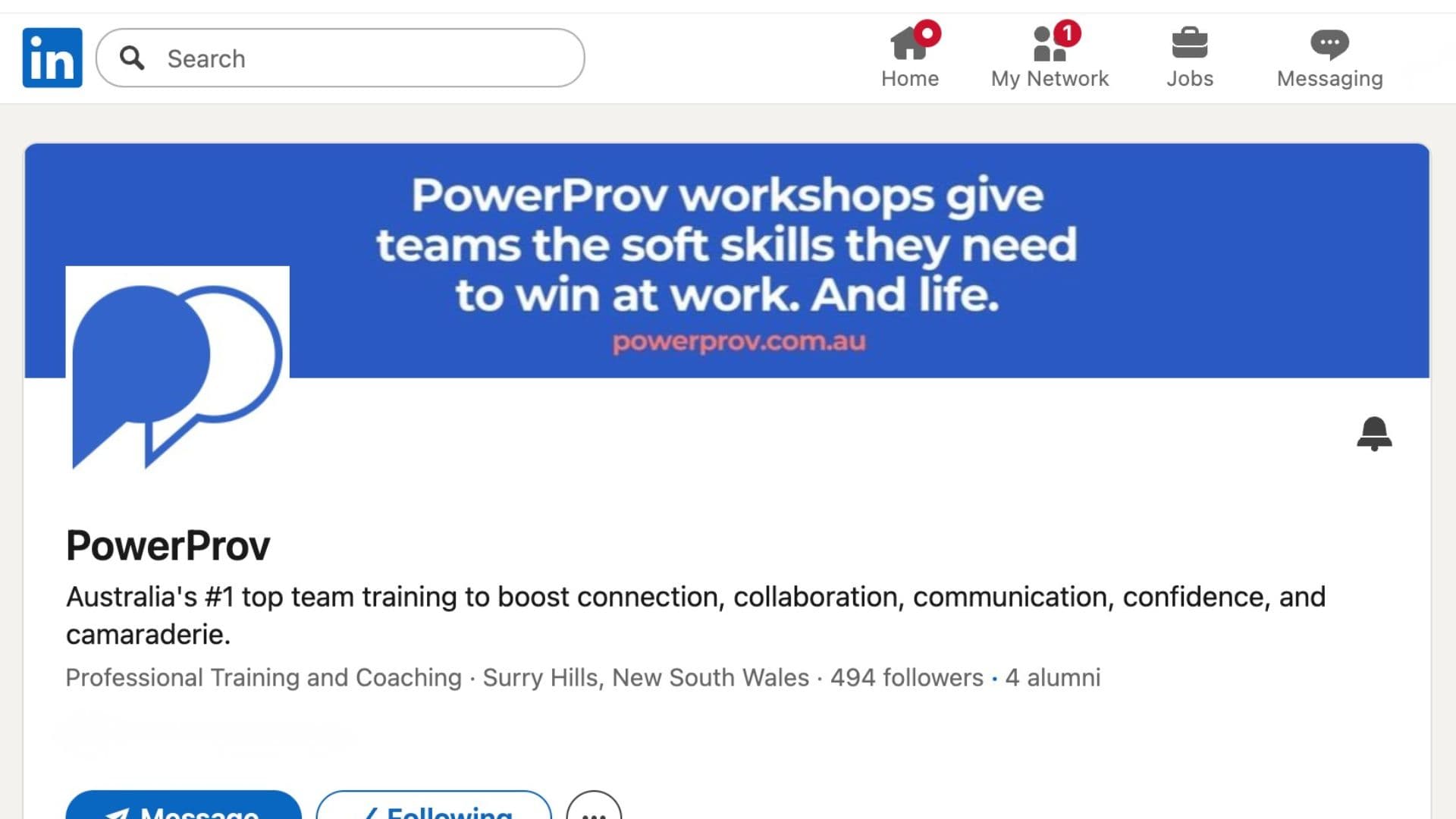
- In the school field, start typing PowerProv. Pick it from the dropdown when it appears, so the logo attaches and your profile links to the school page.
- Fill in the remaining fields using the guide below.
- Set the dates to your workshop dates, then save.
- While you're there, follow PowerProv to hear about new workshops and events first.
Step three matters most. If you type the name and skip the dropdown, LinkedIn stores it as plain text with no logo and no link.
What Should You Put in Each Field?
The description field is the one most people leave empty, and it's the one a curious reader will read. Two specific sentences beat a blank box.
- School
- PowerProv, selected from the dropdown rather than typed as plain text.
- Degree
- Leave blank, or write Professional Development. Never enter a qualification you weren't awarded.
- Field of study
- Name the workshop and the skills. For example: Communication, Collaboration and Adaptability.
- Dates
- Your actual workshop dates. A single day is fine. Set the same month for start and end.
- Description
- One or two lines on what you practised. Improv-based training in listening, thinking on your feet, and presenting under pressure.
Which Skills Should You List Alongside It?
This is the step that does the heavy lifting, and the one almost everyone skips.
Recruiters searching LinkedIn filter on the skills section far more than on education. An education entry gives a skill credibility, but the skill itself has to be listed separately for the filter to find you. Pick the ones you genuinely practised:
Then link them. When you edit a skill, LinkedIn lets you associate it with an education entry. Point the relevant skills at PowerProv, and the profile stops being a list of assertions and starts showing where each one came from.
Are These Skills Worth Listing?
The World Economic Forum's Future of Jobs Report found employers expect 39% of workers' core skills to change by 2030, and named socio-emotional skills, including resilience, flexibility and leadership, as one of the two fastest-growing skill categories. LinkedIn's own Skills on the Rise analysis puts communication, adaptability and strategic thinking near the top across every region it measured, and estimates roughly 70% of the skills used in most jobs will change between 2015 and 2030.
In Australia specifically, Deloitte Access Economics projected that soft-skill intensive occupations will account for two-thirds of all jobs by 2030, up from about half in 2000, growing at two and a half times the rate of other occupations.
“The skills you learn are vital for everyone and anyone. We want to do this on a regular basis!”— Amy N., CEO
PowerProv also measures what changes. The Personal Power Index is an ongoing longitudinal study tracking participant skills before and after each workshop, rather than a satisfaction survey handed out at the door.
Source: PowerProv's Personal Power Index™, an ongoing longitudinal study measuring participant skills before and after each workshop.
What Are Character Skills?
Researchers James Heckman and Tim Kautz prefer to call soft skills character skills, and the difference is not cosmetic. Their argument is that character is a skill rather than a fixed trait. Skills can be built. Traits, supposedly, cannot. Their work found the predictive power of these skills rivals that of cognitive ability for outcomes like earnings and educational attainment, and that they stay malleable well past childhood.
That reframing is the whole case for putting a workshop on your profile. If communication were a personality trait you either had or lacked, training would be pointless and listing it would be noise. Because it's a skill, training is the point, and showing where you trained is worth something.
Does One Workshop Really Belong on Your Profile?
Yes. Put it up.
You spent real time getting better at the things that make people want to work with you, and that deserves to be somewhere people can see it. These skills are in demand, they're genuinely hard to hire for, and most people can't point to where they built them. You can.
Sources
- The Future of Jobs Report 2025 · World Economic Forum
- Skills on the Rise · LinkedIn
- Soft skills for business success · Deloitte Access Economics
- Fostering and Measuring Skills: Interventions That Improve Character and Cognition · Heckman & Kautz, NBER
Frequently asked questions
Can you add a workshop to the LinkedIn education section?
Yes. LinkedIn's education section accepts any organisation registered as a school on the platform, not just universities and colleges. PowerProv is registered as a school under Professional Training and Coaching, so it appears in the school picker with its logo. Training providers, bootcamps, and professional development programs are all commonly listed there.
Should PowerProv go under Education or under Licenses and Certifications?
Education is the better fit. PowerProv is a registered school on LinkedIn, so choosing Education pulls in the logo and links your profile to the school page. Licenses and Certifications is designed for credentials with an issuing body, an ID, and often an expiry date, which is not how workshop training works.
What do you put in the degree field for a workshop?
Leave it blank, or write something plain like Professional Development. Never enter a qualification you were not awarded. The field of study line is the more useful one anyway, since that is where you name the actual workshop and the skills it covered.
Does adding a workshop to LinkedIn help your career?
It helps most when paired with the skills section, because that is what recruiters filter on. The education entry gives the skills a credible source and a date. On its own it is a small signal, but it turns a vague claim about communication into something with training behind it.
What are character skills?
Character skills are what researchers call the traits once labelled soft skills, including communication, adaptability, persistence, and self-control. Economists James Heckman and Tim Kautz argue that character is a skill rather than a fixed trait, which means it can be trained and improved well into adulthood.
Is it worth listing a one-day workshop on a professional profile?
Yes, if you can point to what changed. A single entry will not carry a profile on its own, but it signals that you invest in how you work with people, not only in technical ability. Pair it with a specific field of study line and matching skills so a reader can see what you practised.
Ready to transform your team?
Get in touch or book a quick call to see if PowerProv is right for your org.
Schedule a Chat